
Make it basic & simple
Web server infrastructure built from simple hardware.
This project shows how we used a repurposed HP laptop to build a practical web server environment for testing, staging and publishing websites. The environment is currently hosting two websites and uses Linux server tools, DNS, SSL, Cloudflare routing, WordPress deployment workflows and recovery planning to support live website delivery.
The HP laptop host is fast
The project was created to test how a small local server could support website staging, WordPress deployment, domain routing, SSL handling, backup planning and recovery testing. It was not designed as a public hosting product. Its purpose was to give us a controlled environment for understanding the infrastructure layer that supports website work.
The project started from a simple question - how much practical web infrastructure can be built from modest hardware when the operating system, routing, DNS and application stack are configured properly?
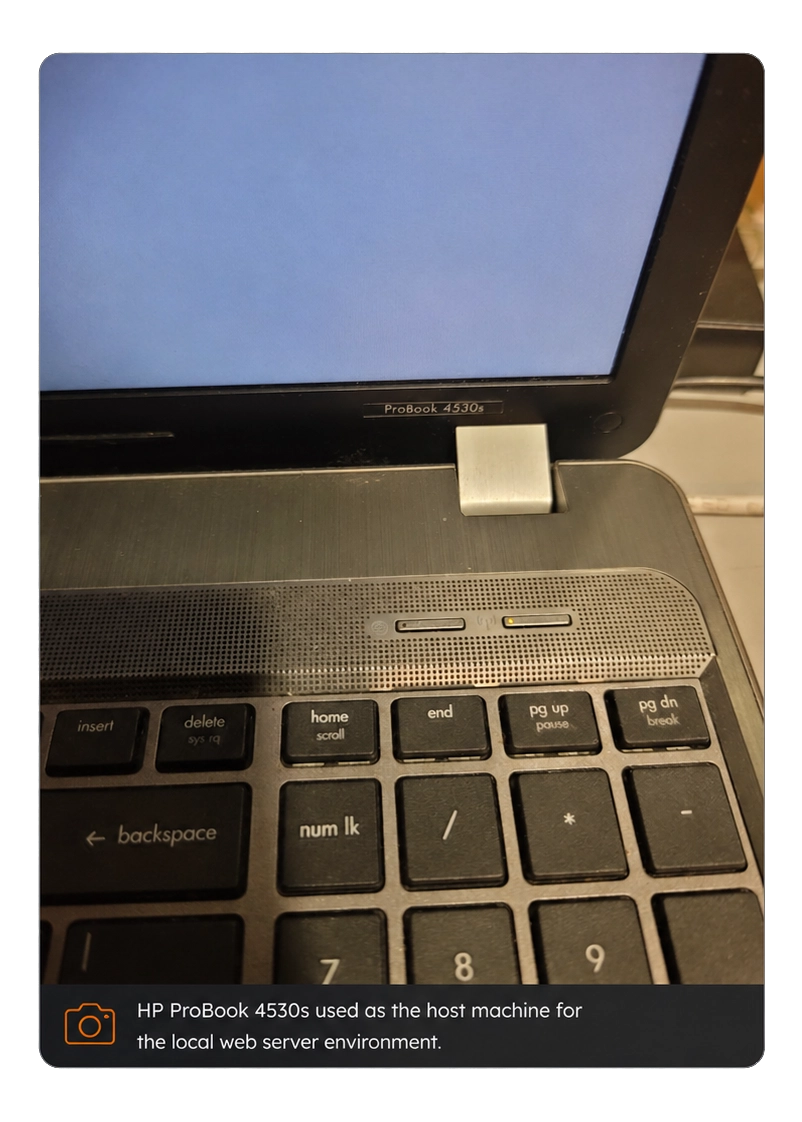
Hardware environment
The base hardware was a repurposed HP laptop.
A laptop is not normally the first choice for production hosting, but it is useful for controlled infrastructure testing. It has a built-in battery, low power consumption, integrated display, internal storage and enough processing capacity to run a small Linux web server environment.
The laptop was used to test whether modest hardware could support:
Network and routing model
The project used a controlled routing model rather than exposing the server directly without planning.
At a high level, the path works like this:
const ioanetRequestFlow = [
  "User request",
  "Domain name",
  "DNS records",
  "Cloudflare routing",
  "Local server environment",
  "Web server stack",
  "WordPress files and database",
  "Website response"
];

// public request path
ioanetRequestFlow.forEach((layer, index) => {
  return `${index + 1}. ${layer}`;
});
This model allowed us to test how a public domain name connects to a locally managed server environment.
The routing layer was important because a working website depends on more than the server itself. The domain needs correct DNS records. Cloudflare needs to route traffic correctly. SSL/TLS needs to be valid. The local server needs to receive the request and serve the correct site. WordPress then needs to load the correct theme, plugins, database content and file paths.
A fault in any layer can produce a broken website.
SSL/TLS testing
SSL/TLS was tested as a separate part of the server workflow.
A website must not only respond to requests. It must respond securely. Browser trust depends on certificate validity, correct hostname matching and a clean HTTPS path.
The project tested how SSL behaves when a domain is routed through Cloudflare and served from a local server environment.
The testing helped clarify:
const sslTlsTests = [
  "where SSL is terminated",
  "how browser trust is established",
  "how certificate mismatch errors occur",
  "how Cloudflare SSL settings affect the origin server",
  "how HTTPS redirects can fail",
  "how mixed routing can cause browser warnings"
];

// SSL/TLS behaviour tested across browser, Cloudflare and origin layers
sslTlsTests.forEach((test) => {
  return test;
});
This was useful because SSL problems are common in website support. A site can appear “down” to a user even when the server is running, simply because the HTTPS path is not configured correctly.
Backup and recovery planning
WordPress was used.
The project tested how WordPress behaves when moved into a server-controlled environment. This included website files, database access, plugin behaviour, theme loading, upload paths, permalinks and HTTPS behaviour.
The WordPress layer depends on several lower-level services:
const backupRecoveryLayer = [
  "website file backups",
  "database backup awareness",
  "configuration backup",
  "restore testing",
  "server rebuild thinking",
  "separation of website files and database content"
];

// recovery planning is part of the server design, not an afterthought
backupRecoveryLayer.forEach((procedure) => {
  return procedure;
});
The important point is that backups must be usable. A backup that has never been tested is only an assumption. The project helped IOANET think through what would be needed to restore a website if the server or website stack failed.
Test observations
The project produced several practical observations.
First, modest hardware can be useful for internal infrastructure testing. A repurposed laptop is not a replacement for properly managed production infrastructure, but it is suitable for controlled learning, staging and service testing.
Second, DNS and SSL issues are often more important than the website files themselves. A correct website can still fail if routing or certificate handling is wrong.
Third, WordPress depends heavily on its environment. PHP, database access, file permissions, plugin behaviour and URL configuration all affect stability.
Fourth, Cloudflare becomes part of the infrastructure path. It is not separate from the website. DNS, SSL, proxying, caching and routing decisions can all affect how a site behaves.
Fifth, recovery planning needs to be included from the beginning. Backups, database exports and configuration notes are part of the system, not optional extras.
Project limitations
The project has limits.
A repurposed HP laptop is suitable for testing, staging and infrastructure learning. It is not presented as a high-availability commercial hosting platform. It does not replace data centre-grade hosting, redundant power, enterprise storage, professional monitoring or formal uptime guarantees.
The project was useful because it created a controlled environment for practical testing. Its purpose was learning, internal capability development and deployment workflow improvement.
This distinction matters. The project shows technical capability, but it does not claim that IOANET is selling public hosting plans from a laptop.
Public technical note
This page is a public technical summary.
It explains the project objective, architecture and learning outcome, but it intentionally avoids operational details that should not be published.
Private server details, access methods, credentials, IP addresses, tokens and internal paths are not included.
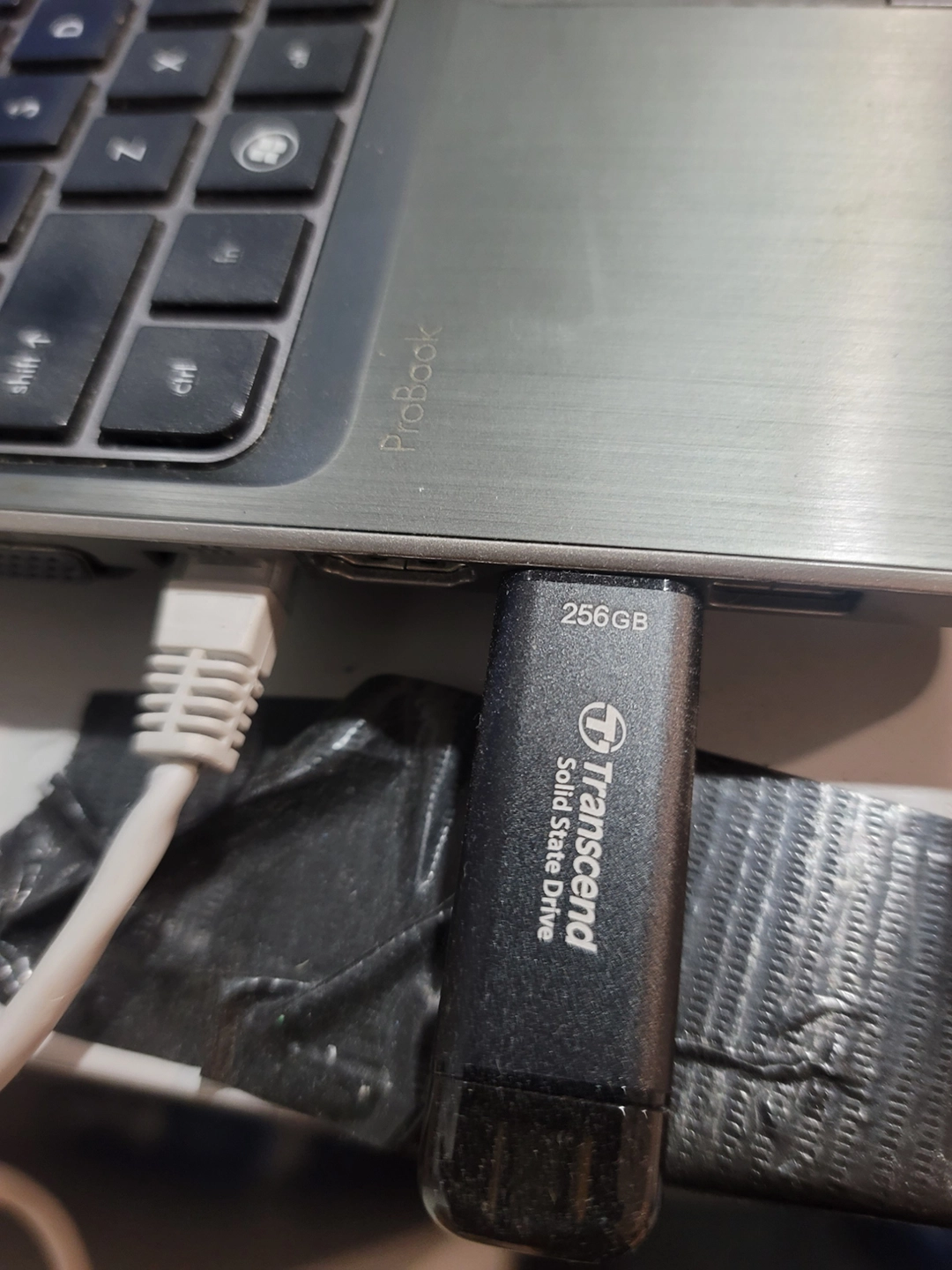
The project showed that the limiting factor is not always the hardware. For small workloads and internal testing, configuration quality, routing design, service control and recovery planning are often more important than raw server size.
Operating system and server stack
The environment was built around a Linux-based server setup.
Linux was used because it gives direct control over the services that normally support web hosting. It also allows the server to be configured in a way that is closer to real hosting environments than a normal desktop setup.
The server environment was designed around these layers:
const serverStack = {
  operatingSystemLayer: "Linux server environment",

  webServiceLayer: "HTTP/HTTPS handling and web request routing",

  applicationLayer: "WordPress, PHP and website files",

  databaseLayer: "Website database storage and testing",

  dnsAndRoutingLayer: "Domain records and Cloudflare routing",

  securityLayer: "SSL/TLS, access control and limited public exposure",

  recoveryLayer: "Backups, restore testing and failure planning"
};
The value of this structure is separation. Each layer has a role. When something fails, it becomes easier to isolate whether the issue is caused by the domain, DNS, SSL, web server, PHP, database, WordPress, plugin behaviour or routing.
DNS and Cloudflare configuration
DNS was one of the main areas tested.
DNS controls how a domain name resolves. A website can be correctly built but still fail if the DNS records are wrong. The project gave IOANET a controlled way to test domain routing and understand how records affect live access.
The project included testing around:
const dnsRoutingTests = [
  "domain resolution",
  "A and CNAME style routing concepts",
  "Cloudflare proxy behaviour",
  "SSL mode behaviour",
  "DNS propagation timing",
  "subdomain routing",
  "website access through routed domains"
];

// routing layer tested through Cloudflare and domain records
dnsRoutingTests.forEach((test) => {
  return test;
});
Cloudflare was used as part of the public routing layer. This made it possible to work with DNS, SSL/TLS and routing controls in a structured way.
The important lesson was that Cloudflare is not just a place to point a domain. It becomes part of the infrastructure path. A change in Cloudflare can affect SSL behaviour, routing, caching, redirects, headers and public access.
WordPress deployment testing
WordPress was used because most IOANET website projects are built around WordPress and Elementor.
The project tested how WordPress behaves when moved into a server-controlled environment. This included website files, database access, plugin behaviour, theme loading, upload paths, permalinks and HTTPS behaviour.
The WordPress layer depends on several lower-level services:
const wordpressDeploymentLayer = [
  "PHP runtime",
  "database service",
  "web server routing",
  "file permissions",
  "uploads directory",
  "plugin compatibility",
  "SSL and site URL settings",
  "DNS and domain access"
];

// WordPress depends on the server environment beneath it
wordpressDeploymentLayer.forEach((component) => {
  return component;
});
The project helped show that WordPress support is not only about editing pages. A broken WordPress website may involve a database issue, file permission error, PHP version mismatch, failed plugin update, incorrect URL setting, SSL mismatch or caching problem.
This is why server-level understanding improves website support.
Security boundaries
The project was also treated as a security exercise.
A local server connected to public routing must be handled carefully. The goal was to understand public access without exposing unnecessary details or services.
The public version of this project does not disclose:
const restrictedInfrastructureDetails = [
  "private IP addresses",
  "public IP addresses",
  "server usernames",
  "SSH ports",
  "firewall rules",
  "server paths",
  "admin URLs",
  "Cloudflare tokens",
  "API keys",
  "database credentials",
  "internal configuration files"
];

// public case study only: operational details are intentionally excluded
restrictedInfrastructureDetails.forEach((item) => {
  return item;
});
The project used the principle of limited disclosure. The public page can explain the architecture and learning outcome without publishing operational details that would weaken security.
Security was considered in three areas:
const securityBoundaries = {
  access: "Who or what can reach the server.",

  exposure: "Which services are visible from outside.",

  recovery: "How the system can be restored if something fails."
};

// security is considered across access, exposure and recovery
return securityBoundaries;
This is the correct way to publish a technical case study without turning it into an attack map.